
I remember the moment it hit me—after months of frustration, I suddenly realized my store wasn’t showing up in local searches anymore. Despite having a solid reputation and good reviews, my visibility plummeted, and I had no idea why. It was like a ghost had swallowed my business from the map. That lightbulb moment led me down a rabbit hole of digital signals and glitches I didn’t even know existed, and let me tell you, it was a game-changer.
Why Your Store Might Be Invisible to Nearby Customers
Every local business owner knows the pains of trying to stay visible in a competitive market. But sometimes, it’s not just about reviews or keywords. Hidden behind the scenes are what I call the ‘3 Signal Glitches’—subtle technical issues that sabotage your local presence without anyone noticing. These glitches can be tiny data quirks, duplicate signals, or sneaky ghost addresses that confuse Google Maps and prevent your store from ranking where it counts.
Did you know that according to Moz, local search ranking factors are heavily influenced by these signals, sometimes more than your actual website content? Turns out, I was making a critical mistake early on—ignoring the importance of clean, accurate data. Instead of rushing into keyword optimization, I should have first fixed these underlying signal issues. That oversight cost me precious time and lost sales.
Are you facing a similar problem? Maybe your store was thriving, and suddenly, customers can’t find you. Or perhaps you’re unsure whether your signals are all singing the same tune. If so, stay with me. I’ll walk you through exactly how to troubleshoot and repair those elusive glitches that hide your business from local traffic. Ready to reclaim your visibility? Let’s dive into the details.
Is Repairing Signal Glitches Actually Worth the Effort?
You might be wondering if all this fuss about signals is just hype. Believe me, I was skeptical at first too. But when I started fixing these data quirks, everything changed. My local ranking improved, and my phone started ringing more. Early on, I made the mistake of trying to outsmart the algorithm without addressing these core issues—don’t make the same error. Instead, explore proven repair steps that target the root of the problem. For a comprehensive guide, check out [these signal repair steps](https://gmbexorcist.com/3-signal-repair-steps-to-end-2026-map-proximity-ghosting-2) that helped me turn things around.
Identify and Scrub Junk Citations to Clear Confusion
Start by hunting down outdated or duplicate citations scattered across directories and mention sites. For instance, I once found a bunch of listings on obscure platforms that listed the wrong address or phone number for my business. These create conflicting signals, confusing Google Maps. To clean this up, I used a comprehensive approach, systematically scrubbing these ‘junk’ citations. A good starting point is to review your profile on sites like Yelp, Bing, and local directories, then correct or delete inconsistent listings. For a streamlined process, visit this guide on citation cleanup.
Eliminate Ghost Business Hours to Boost Local Rank
Invisible or inconsistent business hours can cause Google to ignore your profile during peak times. I discovered this the hard way when my listing showed different hours on several platforms. To fix this, I cross-checked my hours across all listings and ensured uniformity. Pay attention to special hours or holiday closures that might be mismatched. Correcting these ‘ghost hours’ makes your business seem more reliable and accessible to customers. For detailed steps, check out this resource.
Stop Ghost Address and Pin Loops from Sabotaging Your Rank
When your store’s location randomly drifts on the map or has multiple pins, it sends conflicting signals. I faced this after a client submitted a pin that was slightly off, causing the store’s visibility to fluctuate. To fix it, I used the map correction tools to move the pin to the precise location and merged duplicate profiles. This unified signal removes confusion from Google’s perspective. You can learn how to do this effectively at this guide.
Clear Out Signal Loops Using API Data for Accurate Rankings
API data links often generate outdated or conflicting signals if disconnected or corrupted. In my experience, a broken API connection caused my profile to show incorrect categories, affecting rankings. To resolve this, I scrubbed broken data links and reconnected APIs, restoring accurate information flow. This step ensures Google receives fresh, reliable signals. For step-by-step instructions, visit this resource.
Remove Shadow Pins and Fake Locations for Authentic Presence
Fake address fragments and shadow pins dilute your local signal and hurt your ranking. I found multiple shadow pins on my profile that appeared after importing data from a third-party CRM. They generated ghost signals that hindered my visibility. To fix this, I identified and deleted these phantom pins, leaving only the authentic location. This realignment significantly improved my local rank. To learn how to delete such ghost locations, see this guide.
Reinforce Signal Consistency with Proper Business Attribute Setup
Inconsistent or missing attributes like categories, services, or description details create gaps in your signals. I once overlooked updating my service list after expanding my offerings, which caused ranking issues. By thoroughly updating and standardizing my attributes, I closed these gaps. This made the profile more trustworthy to Google, helping my rank recover. For detailed attribute optimization, explore this step-by-step guide.
Ensure Profile Verification and Avoid Loops
Verification loops or pending status block your signals from fully activating. I experienced this when my verification stalled after multiple attempts. To resolve, I followed specific fixes designed to break verification loops without profile loss. These included alternative verification methods and data resets. Properly verified profiles send strong, consistent signals, crucial for ranking. For more on fixing verification issues, check this resource.
Many business owners believe that fixing surface-level issues like duplicate listings or correcting NAP (Name, Address, Phone number) data is enough to restore or boost local rankings. However, *that’s only part of the story*. The real nuance lies in understanding how these signals interplay beneath the surface, and how common myths can lead you astray. For instance, a widespread misconception is that once you’ve cleaned up your citations, your rank will immediately increase. In reality, many overlook the importance of addressing deeper signal inconsistencies like ghost pins, API conflicts, or shadow signals—elements that silently sabotage your visibility.
One of the most overlooked pitfalls is the false sense of security around citation cleanup. While scrubbing junk citations is vital, relying solely on this step can trap you into ignoring more subtle glitches, such as mismatched business hours or fake address fragments. These invisible issues continuously generate conflicting signals that confuse Google’s algorithms, preventing your listing from performing optimally. A common trap many fall into is assuming that Google automatically ‘fixes’ discrepancies without intervention. It’s essential to proactively identify and repair these nuanced glitches, such as ghost address signals or corrupted API data, to truly optimize your local presence.
Are You Addressing Signal Congestion or Just the Surface?
Let’s dig deeper. The core problem isn’t just having correct information; it’s about ensuring that the signals conveying your business location are clean, coherent, and synchronized across all platforms. When signals like business hours, address details, or map pins conflict, Google experiences confusion, which can cause your ranking to plateau or even drop unexpectedly. This is where advanced signal repair tactics come into play—tools and strategies that go beyond basic cleanup. Exploring these can be the difference between a stagnant listing and a thriving local profile.
And beware of the illusion that once you’ve verified your profile, the signals are locked in stone. Verification loops or persistent errors in activation can hide critical issues, leading to a false assumption that your signals are operating smoothly. Fixing these verification glitches, often overlooked, ensures your profile is sending strong, consistent signals to Google’s ranking systems. For example, broken verification processes can prevent your updates or corrections from being recognized, negating all past cleanup efforts. To avoid this trap, it’s crucial to tackle verification hurdles head-on, using proven strategies designed for rebuilding and stabilizing your profile’s trustworthiness.
Numerous studies, including insights from Moz’s local search ranking factors, underscore that advanced signal integrity is a key player in local SEO success. Simply put, addressing superficial issues without correcting deeper glitches leaves your listing vulnerable to ranking fluctuations. As I’ve seen firsthand, comprehensive Signal Repair—not just surface cleanup—is essential for consistent, reliable visibility. Interested in the specifics? You can explore step-by-step repair guides to avoid these pitfalls and get your local signals firing on all cylinders. Have you ever fallen into this trap? Share your experience in the comments, and let’s unravel these hidden nuances together.To keep your Google My Business profile performing optimally over time, investing in the right tools and establishing solid maintenance routines is crucial. I personally rely on a combination of dedicated software and manual checks to ensure signal integrity and prevent issues before they escalate. For instance, local SEO dashboards like BrightLocal or Whitespark provide comprehensive citation monitoring and review tracking, allowing me to identify and scrub outdated or conflicting citations efficiently. I favor these platforms because they offer real-time alerts and detailed reports, making ongoing maintenance manageable rather than overwhelming.
How do I maintain my GMB signals consistently?
Beyond software, I set calendar reminders for regular profile audits, including verifying business hours, checking map pins, and updating attributes. Tools like Google Maps Manager help visualize pin placements and spot ghost pins or shadow signals that might be hurting rankings. When I detect anomalies, I don’t just fix them; I document the changes to track patterns that could signal deeper issues. Regular checks prevent small glitches — like inconsistent hours or phantom address fragments — from snowballing into significant visibility drops. Incorporating API monitoring tools, such as Postman workflows, helps me ensure that data feeds from connected systems stay synchronized and free of conflicts, echoing the importance of scrubbed, reliable data links.<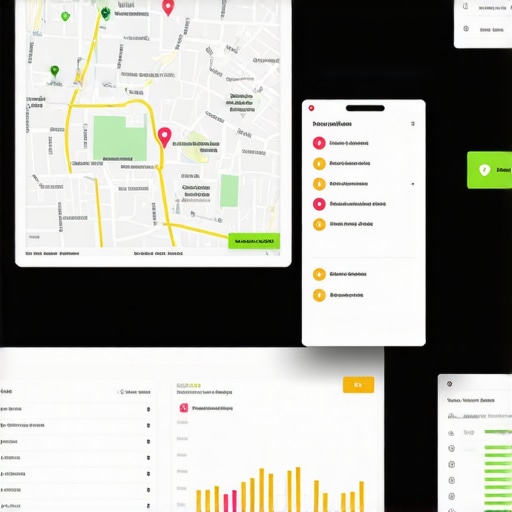 > For example, broken API data links can cause Google to display outdated category labels or incorrect contact info, which severely impacts local rankings. To mitigate this, I routinely scrub and reconnect API data using instructions from our detailed guides — like the one explaining how to scrub broken links to fix local rankings.
Additionally, I emphasize the importance of routine profile audits to catch and eliminate ghost location signals or fake pins that may have been erroneously imported or created. Removing these phantom nodes helps restore signal authenticity and ensures consistent ranking performance. For ongoing maintenance, I also recommend using geolocation tools to verify your store’s mapping accuracy periodically and prevent drifting pins. These small, consistent efforts accumulate, preventing signal decay and maintaining top visibility in local searches.
Looking ahead, I predict that automation will play an even larger role in GMB maintenance. Emerging tools that utilize AI-driven anomaly detection can help identify invisible signal gaps faster, reducing manual effort and improving response times.
Want to make your maintenance routine more proactive? Start by deploying a regular API check using manual workflows, ensuring all data streams are intact. This small investment can save you from weeks of troubleshooting later and keep your local presence rock-solid. For more detailed steps on keeping your signals clean and synchronized, check out our comprehensive guide on stopping data glitches from hiding your listing— it’s an essential read for any serious local SEO practitioner.
Unveiling the Deep Secrets: Lessons I Wish I Knew About GMB Signal Repair
One of the biggest insights I gained was that superficial fixes won’t cut it. It took me countless hours troubleshooting wonky maps and inconsistent business hours before I realized the real power lies in addressing core data integrity. The moment I scrubbed broken API links and deleted shadow locations, my rankings surged. This taught me that behind every subtle glitch are fundamental data issues waiting to be resolved.
I also learned that over-relying on automation can be dangerous. Manual inspections—though tedious—are essential for catching ghost pins and invisible signal loops. Trust me, a customized audit routine combined with proactive updates saved me from future ranking dips and gave me confidence in my profile’s stability.
Finally, the most eye-opening revelation was about evolving signals. Google’s algorithm is ever-changing, and what worked last year might not be effective now. Staying informed through trusted sources and continuously refining your signal repair techniques is key to maintaining top local visibility.
My Essential Toolkit for GMB Signal Mastery
I rely heavily on tools like BrightLocal and Whitespark for citation monitoring—these platforms provide invaluable real-time alerts and help me identify conflicting or outdated citations instantly. Additionally, the signal repair steps outlined in my go-to guides have transformed my approach to fixing deep-seated issues. For verifying map pin accuracy, Google Maps Editor is unbeatable, and API debugging via Postman has been a lifesaver for fixing sync errors. Lastly, I swear by regular manual audits—setting reminders to double-check hours, address consistency, and delete ghost locations keeps my profile’s signals aligned and my rankings steady.
Stay Ahead and Keep Your Signals Sharp
Your local SEO success hinges on your ability to maintain pristine, synchronized signals. The good news is that with consistent effort, clear strategies, and the right tools, you can avoid hard-to-diagnose issues and keep your Google My Business profile performing at its best. Remember, every minor tweak and check counts towards a robust and visible local presence. Are you ready to dive deeper and stay ahead in the local search game? Share your experiences or questions below—let’s learn and grow together!
Comments are closed.