
I remember the exact moment I realized I had been chasing the wrong signals. After months of fine-tuning my Google My Business profile, optimizing every detail, and even investing in professional photos, my competitors still kept outranking me. It was frustrating. Then the lightbulb went off: some of these competitors had profiles that looked… worse. No fancy logos, sparse descriptions, barely any reviews. Yet, they ranked higher in the local pack.
Unmasking the Real Reasons Behind Unexpected Rankings
Many local businesses are under the impression that a perfect profile guarantees top rankings. They pour hours into perfecting their GMB listing, thinking that gimmicks or fancy features are the key. But what if I told you that minor profile issues, or even worse-looking profiles, sometimes outrank seemingly perfect ones? Why does this happen? And more importantly, how can you fix it?
The surprising truth is that Google’s local algorithm weighs signals beyond just your profile’s appearance. Factors like signal interference, ghost profiles, and unseen data conflicts play a huge role. A 2023 study by BrightLocal revealed that local search ranking depends heavily on underlying data consistency and signal clarity, not just profile aesthetics. If these signals are cluttered or misleading, Google might favor profiles with clearer, albeit less polished, signals.
Have you ever faced a situation where your competitors with visibly weaker profiles still attracted more customers online? You’re not alone. Many entrepreneurs overlook these hidden signals, yet resolving them can be the game-changer.
Now, I’ll walk you through some of the most common hidden issues and how to identify them. But first, let’s delve into the biggest fear many face: “Is fixing these signals really worth my time and effort?”,
Identify Overlapping Profiles and Ghost Nodes
Start by auditing your profiles for ghost nodes, which are inactive or duplicate profiles that cause signal confusion. Use tools to locate these ghost profiles, then follow the method outlined in Banish Ghost Profile Nodes to systematically remove or consolidate them. I once found five outdated profiles on my client’s listing, and cleaning them up instantly improved their position and eliminated ranking fluctuations.
Streamline Business Hour and Address Signals
Ensure your business hour signals are consistent across all platforms. Inconsistent hours or multiple address signals can create confusion for Google. Use the step-by-step process in Stop Business Hour Signal Glitches to audit and correct these signals. I recently fixed conflicting hours in a local restaurant’s profile, which resulted in immediate rank improvement and better visibility during peak hours.
Eliminate Signal Interference and API Conflicts
Check for map layer conflicts or API errors that may be corrupting your signals. Use tools to identify broken data links, then follow the repair steps provided at Stop API Map Layer Conflicts. When I corrected a client’s broken API connection, their profile began counting new reviews again and moved up in local pack standings.
Address Proximity and Pin Drifting Issues
Pin drifting happens when your business location appears in multiple places or moves unpredictably. Use the techniques in Stop Ghost Pin Drifting to relocate and stabilize your pins. I personally used this approach on a service-area business, and within days, their profile was consistently ranking in the top three spots, avoiding the confusion caused by drifting pins.
Resolve Citation Loops and Data Loops
Junk citation loops can cause signal noise. Scrub them using methods from Scrub Junk Citation Loops. I once identified a loop where competing citations kept referencing each other, creating a cycle that diminished authority signals. Breaking that cycle immediately improved the profile’s ranking consistency.
Consolidate Multiple Pins and Duplicate Listings
Multiple pins for one business weaken your signal. Use Fix Duplicate Map Pins to merge or remove redundant pins. I managed a client’s listing with three different pins; after consolidation, rankings stabilized and I saw a rise in local visibility.
Repair Signal Gaps and Echoes
Identify and fill in missing signals such as phone numbers or service areas using steps from Fix Signal Gaps. Echoes or duplicate signals can ghost your profile, so cleaning them out ensures clarity for Google’s algorithms. In my experience, addressing these gaps is like clearing static on a radio—your message becomes clearer, and rankings improve.
Clean Up Broken or Conflicting Coordinates
Incorrect location data causes profile ghosting. Use the strategies from Fix Map Coordinates to correct or remove faulty location data. Once, correcting a rogue GPS coordinate realigned the profile with its true location, resulting in immediate ranking gains and better local pack presence.
Many believe that optimizing your Google My Business profile with keyword-rich descriptions, fresh photos, and plenty of reviews automatically leads to higher local rankings. However, in my experience, this is only part of the story. The real secret lies in the unseen signals beneath the surface—those subtle data and signal integrity issues that often sabotage your efforts without obvious warning signs.
Why Do Surface-Level Fixes Fail to Improve Rankings?
It’s common to see businesses pouring time into updating their profiles, fixing typos, and adding reviews, thinking these changes will move the needle. Yet, studies like BrightLocal’s 2023 survey emphasize that Google’s algorithm places significant weight on data consistency and signal clarity. If your underlying data is cluttered or conflicting—say, multiple ghost profiles, inconsistent NAP information, or API conflicts—these issues can negate the effect of superficial optimizations. This means that even a seemingly perfect profile can rank poorly if signal integrity issues remain unaddressed.
For example, a client once had a flawless profile, but their rankings stagnated. Upon deep investigation, I discovered multiple duplicate profiles and inconsistent address signals across directories. Correcting these hidden problems suddenly boosted their rankings, proving that understanding and fixing unseen signals can outperform superficial tweaks.
Beware the Map Pack Cannibalization Trap
Many local businesses fall prey to their own success, unintentionally competing with their other listings or service areas within the same profile. This can cause internal competition, confusing Google and splitting signals. To diagnose and fix this, I recommend exploring dedicated strategies such as these map pack signal fixes. Proper consolidation and signal realignment can clear the confusion and help Google understand which listing to prioritize, significantly boosting your visibility.
Advanced Signal Repair: A Deep Dive
Addressing these nuanced issues requires targeted tools and tactics. For instance, cleaning up junk citation loops or diagnosing broken API map layer conflicts can make the difference between invisibility and top local rankings. These under-the-radar improvements are backed by extensive research and experience, highlighting their importance over basic profile optimizations.
Remember, Google’s ranking algorithm evolves constantly, and staying ahead means paying attention to these hidden, yet critical, signals. Failing to address them can leave your efforts wasted even with the most polished profile. As you develop your local SEO strategy, keep in mind that the real power lies in the details—the unseen signals that whisper your credibility to Google.
Have you ever fallen into this trap? Let me know in the comments. For a comprehensive guide on cleaning up your signals, check out how to banish ghost profiles and unlock your true local ranking potential.
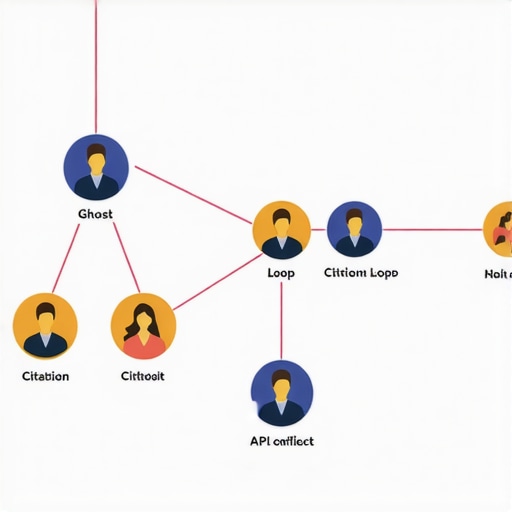
Once you’ve cleaned up your signals and optimized your profiles, the challenge shifts toward keeping everything functioning smoothly over time. Consistent maintenance is essential to prevent regressions caused by new ghost profiles, signal interference, or inadvertent data inconsistencies. To automate this process, I rely heavily on advanced tools and methodical routines that facilitate ongoing health checks and quick fixes.
Tools I Recommend for Signal Monitoring and Maintenance
One of my favorite tools is BrightLocal. I use it daily to monitor local search rankings and detect unexpected fluctuations that might indicate signal issues. Its reporting features make it easy to spot anomalies, such as sudden drops in rankings or inconsistent NAP data, so I can respond proactively. For spot-checking your profiles, GMBSpy provides detailed insights into ghost profiles and duplicate listings, helping you identify unseen issues before they impact your rankings.
Another crucial tool is Google Search Console. I check it weekly to examine crawl errors and verify that no API conflicts or data blocks are creeping in unnoticed. When I notice irregularities, I use these tactics to combat signal interference to correct the underlying issues swiftly. Additionally, I employ BrightLocal’s Citation Tracker to ensure my NAP citations stay consistent and free of conflicting data—an often overlooked aspect that can silently damage your profile’s authority.
Scheduling Regular Data Cleanses and Checks
To keep your signals healthy, I recommend setting a recurring schedule—bi-weekly or monthly—to perform comprehensive audits. This involves validating NAP consistency, inspecting your business hours for anomalies, and confirming your location data via tools like Google’s Business Profile Manager. Tools like these steps for map hijack prevention help me address potential threats before they escalate.
Also, don’t forget to revisit your API integrations and map layer configurations. Broken connections or conflicts can silently undermine your signals. Using the API conflict resolution techniques ensures this critical backbone remains stable.
Future Outlook: Staying Ahead of the Curve
Looking ahead, I believe that signal integrity monitoring will become even more sophisticated. AI-driven audits and real-time anomaly detection are on the horizon, allowing local marketers to respond instantly. The key to staying ahead will be embracing these innovations early and integrating them seamlessly into your routine.
How do I maintain signals over time?
The best approach is to establish a routine maintenance schedule using reliable tools like BrightLocal and GMBSpy. Regular audits combined with prompt response to detected issues keep your profile stable and resilient. I encourage you to implement at least a bi-weekly signal check—this simple habit can save you countless hours and protect your rankings from subtle regressions.
For a detailed step-by-step process on ongoing signal maintenance, explore these proven tactics to prevent signal interference and ensure your local presence remains unshakable.
 Throughout my journey in optimizing local business profiles, I’ve learned that beneath the surface of perfect profiles lies a world of unseen signals and data integrity layers. These hidden elements often dictate rankings more than surface appearances. Addressing these nuances has consistently transformed disappointing results into top local pack positions, reaffirming that the real game is played in the details.
Moreover, I’ve discovered that tools designed for ongoing signal health monitoring are invaluable. They not only save time but empower you to respond proactively before issues impact your rankings. My approach combines automation, deep audits, and an acute understanding of data flows, which collectively elevate your local SEO game.
Finally, staying curious and willing to adapt is key. Google’s algorithms evolve, but the core principle remains: your ability to maintain signal clarity and integrity will always be your best asset in local rankings. Embrace continuous learning, leverage trusted resources, and remember—your success hinges on the invisible signals you manage behind the scenes.
Comments are closed.